Business owners often struggle with time-wasting tasks that slow growth. HighLevel workflows offer a solution, making operations smoother with Go High Level automation. They simplify complex tasks with great efficiency.
Imagine cutting out boring administrative work while growing your business. Go High Level automation lets you do just that. It helps entrepreneurs focus on big ideas, not daily chores.
This guide will show you how to make HighLevel workflows that save time and boost your business. It’s for anyone, from small business owners to those running many locations. You’ll learn how to use workflow automation to your advantage.
Key Takeaways
- Understand fundamental workflow automation concepts
- Learn how to create high-converting HighLevel workflows
- Discover strategies for streamlining business processes
- Reduce manual tasks and increase operational efficiency
- Transform lead management through smart automation
What Are HighLevel Workflows and Why Do They Matter for Your Business
Marketing workflow automation is changing how businesses work today. It’s like having a virtual assistant that never sleeps. This assistant handles repetitive tasks and makes sure nothing is missed. HighLevel workflows are smart systems that make your business run smoother with less human help.
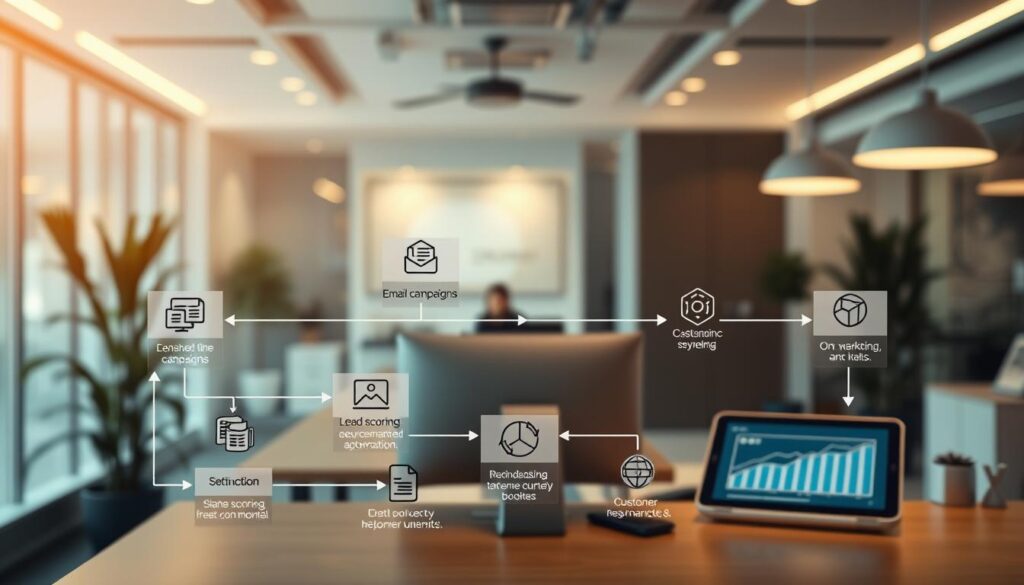
At its heart, a workflow is a series of automated steps. These steps take action based on set triggers. These tools can change how you deal with customers and your internal processes.
Understanding Workflow Triggers and Actions
Workflows work like a digital domino effect. Triggers start the process, like:
- Form submissions
- Appointment bookings
- Customer purchases
Actions are the steps that happen after a trigger, such as:
- Sending welcome emails
- Updating contact records
- Assigning team tasks
The Power of Automation in Scaling Your Business
CRM task management gets a lot better with workflow automation. Small teams can now do more work than before. This means lower costs and more productivity.
Common Tasks Worth Automating in GoHighLevel
- Lead nurturing campaigns
- Appointment scheduling
- Customer onboarding sequences
- Feedback collection
- Sales pipeline management
Smart workflows help businesses create systems that work all the time. These systems make sure no chance is missed. And every customer gets the attention they need, right on time.
Essential Components of High-Converting HighLevel Workflows
Creating effective digital marketing workflows needs more than just basic automation. Sales pipeline automation changes how businesses talk to potential customers. It makes systems that adjust to each person’s actions.
The key parts of high-converting workflows are:
- Strategic Timing: Using smart delays to space out messages
- Conditional Logic: Making paths change based on how users act
- Multi-Channel Communication: Using email, SMS, and calls together
Good digital marketing workflows do more than send messages. They create unique experiences for each person. With smart triggers and smart routing, businesses can make workflows that seem made just for you, even if they’re automated.
Important strategic parts include:
- Personalization tokens that make automated messages seem real
- Clear exit conditions to avoid getting stuck
- Automatic updates to the sales pipeline based on user actions
GoHighLevel has pre-made workflow recipes that are great starting points. These can be changed to fit your business needs. Even small teams can use advanced sales pipeline automation.
Step-by-Step Guide to Creating Your First Workflow in GoHighLevel
GoHighLevel changes how businesses handle client interactions. It helps with appointment booking and client nurturing. Creating workflows boosts your efficiency.

Here’s how to make your first workflow. Follow these steps to use GoHighLevel’s automation features.
Choosing the Right Trigger for Your Workflow
Picking the right trigger is key for good automation. GoHighLevel has many triggers for different needs:
- Contact form submissions
- Appointment bookings
- Sales opportunity changes
- Payment events
For example, choose “Customer Booked Appointment” for booking automation. This starts your workflow when a new appointment is made.
Adding Trigger Filters to Refine Your Automation
Trigger filters make your workflows more precise. They add conditions to avoid unnecessary actions. This ensures your client sequences are effective.
- Select your base trigger
- Add detailed filtering parameters
- Configure specific conditions
You can filter by appointment type, contact tags, or custom fields. This makes your automation more specific.
Configuring Workflow Actions That Drive Results
Now, set up actions that add value. GoHighLevel has over 100 action types for communication, contact management, and more.
- Send confirmation messages
- Update contact information
- Add strategic tags
- Initiate follow-up sequences
A workflow might send an SMS, update contact status, and plan follow-ups. All done automatically, without you.
Advanced Workflow Strategies for Maximum Conversions
Marketing workflow automation turns simple tasks into smart systems that follow customer actions. By using advanced strategies, companies can offer unique experiences. This boosts conversion rates and makes business processes smoother.

Using IF/Else Conditions to Personalize Customer Journeys
IF/Else conditions are key in marketing workflow automation. They let businesses choose paths based on customer details. This way, companies can offer tailored experiences without needing to do it manually.
- Create personalized communication paths
- Respond dynamically to customer interactions
- Increase engagement through targeted messaging
Here are some examples of IF/Else conditions:
- After proposal email: Check email open status
- Opened within 3 days: Send follow-up call request
- Not opened: Send a clarification email
- Post lead magnet download: Segment by industry
- Real estate professionals: Send industry-specific case studies
- E-commerce businesses: Share relevant success stories
Chaining Multiple Workflows for Complex Automation
For complex automation, businesses create special workflows. These workflows pass contacts smoothly from one stage to the next. This avoids message duplication and keeps communication clear.
- Design workflow per sales pipeline stage
- Automatically remove contacts from previous workflows
- Update opportunity stages for precise tracking
Advanced users can use webhooks to link with outside tools. This lets them trigger actions from payment systems and webinars. Split testing helps compare different workflows to improve marketing plans.
Troubleshooting and Optimizing Your GoHighLevel Workflows

Creating effective Go High Level automation needs careful troubleshooting and ongoing optimization. Even the most skilled users face workflow problems that can slow down CRM task management.
To find and fix workflow issues, follow these key steps:
- Test workflows with fresh contacts to avoid old data problems
- Use real contact triggers instead of fake ones
- Check trigger and action filters carefully
- Make sure “Allow Reentry” settings are correct for workflow flow
To make your workflows better, try these tips:
- Look at workflow analytics to find where contacts drop off
- Try different message timing and delays
- Test different message content to get better engagement
- Break down complex workflows into easier parts
Keeping an eye on performance is key for smooth Go High Level automation. Set up a monthly check to review workflow metrics, update content, remove finished contacts, and archive old workflows.
By using a methodical approach to fixing and improving workflows, you can get the most out of your CRM task management. This way, you can make your automated workflows more efficient and reliable.
Conclusion
You’ve now unlocked the potential of HighLevel workflows to change your sales pipeline. You’ve learned about triggers, actions, and how to create complex automated processes. These tools can make your business operations smoother.
Using these workflows does more than save time. It makes your business smarter and more responsive. GoHighLevel gives you endless workflow options, with 17 pre-built templates to get you started. Every workflow you make brings you closer to a more efficient business.
While you can make workflows on your own, working with experts can speed up your success. Crowley Media Group is great at sales pipeline automation. They use SEO, PPC, AI, and automation to help you. Their team can create custom HighLevel workflows for your business.
Are you ready to boost your business automation? Visit crowleymediagroup.com or call (916) 572-9755. They can show you how workflow optimization can improve your business. Remember, the right automation helps you focus on what’s important in your business.